We have all been there. You get your hands on an eBay gift card, grab a coin or your fingernail to reveal the redemption code, and accidentally scratch a little too hard. Suddenly, half the digits are wiped clean, and you are staring at a blank silver strip thinking your money just vanished.
Before you panic or toss that card away, take a deep breath. If it’s an eBay gift card, there is actually a clever workaround built right into the back of the card that can help you recover missing digits, depending on which numbers got wiped out.
Here is how to check if your over-scratched eBay gift card can still be saved.
How to Recover Over-Scratched Numbers on an eBay Gift Card
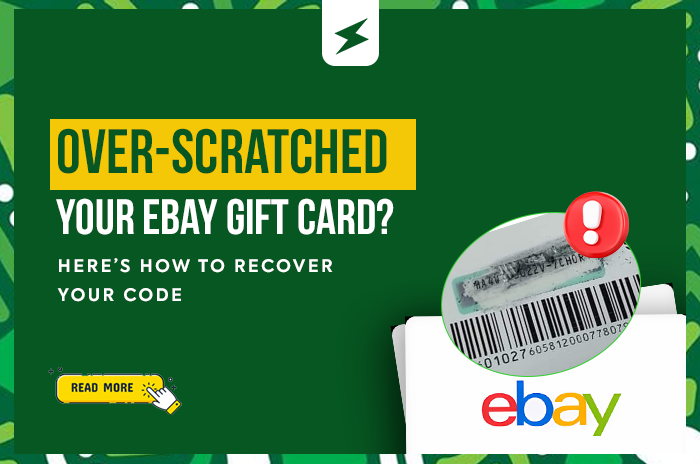
eBay gift cards print a serial/tracking number sequence along the very bottom edge of the back of the card. Believe it or not, part of that bottom sequence mirrors the actual redemption code hidden under the scratch-off panel.
Follow these steps to find your missing digits:
- Flip the card over and look at the very bottom: Beneath the main barcode, you will see a long row of numbers running along the bottom edge of the card.
- Count nine (9) digits from the right (the back): Start at the very last digit on the bottom-right corner and count nine numbers backward (moving from right to left).
- Read the numbers moving forward from that point: Once you land on that ninth digit from the end, look at the numbers immediately following it moving forward (left to right) or compare the sequence directly against what is left of your scratched panel. Those digits match the corresponding numbers in your main redemption code!
For example, look at this card number below:
- Bottom number string: …07020990084 followed by 16103151245
- Redemption code: 020 990 *** 8705
Notice how the digits 020990 appear in both the bottom serial line and the redemption box! If the middle digits of your redemption code were scratched off, you can pull them directly from that bottom line.
The One Catch You Need to Know
While this trick is a total lifesaver for most accidental scratches, there is one major limitation: it will not recover the last four digits of your redemption code.
The final four digits of the eBay gift card code are unique to the scratch-off panel and do not appear in the bottom serial number. If you over-scratched the middle or beginning of the code, you are in luck; use the bottom number sequence to fill in the blanks. However, if the last four digits are completely unreadable, unfortunately, this trick won’t be able to retrieve them (your best bet in that scenario is reaching out directly to eBay customer support with your purchase receipt and the card’s serial number).
How to Prevent Over-Scratching Your Gift Cards in the Future
Use a coin edge gently: Avoid sharp keys, knives, or aggressive fingernails that can peel off the ink underneath the foil.
Peel instead of scratching (when possible): Many newer eBay gift cards feature a peel-off sticker tab rather than traditional scratch-off latex. Check the edge of the silver strip first before scraping.
Snap a clear photo immediately: As soon as you reveal the code, take a crisp, well-lit photo so you always have a backup before trading or redeeming it.
Ready to Trade Your eBay Gift Card for Cash?
Once you have recovered your complete 13-digit eBay redemption code, don’t let it sit idle. On SekiApp, you can buy and sell eBay gift cards, alongside Apple, Steam, Amazon, Razer Gold, and Google Play cards, at sweet rates with instant payouts straight to your bank account.
No long stories, no unnecessary delays; just fast, secure transactions every single time. Register on SekiApp today to trade your gift cards.